
VertiDesk Curtain Slider for DiviAn Animated Vertical Panel Sliderfor Divi
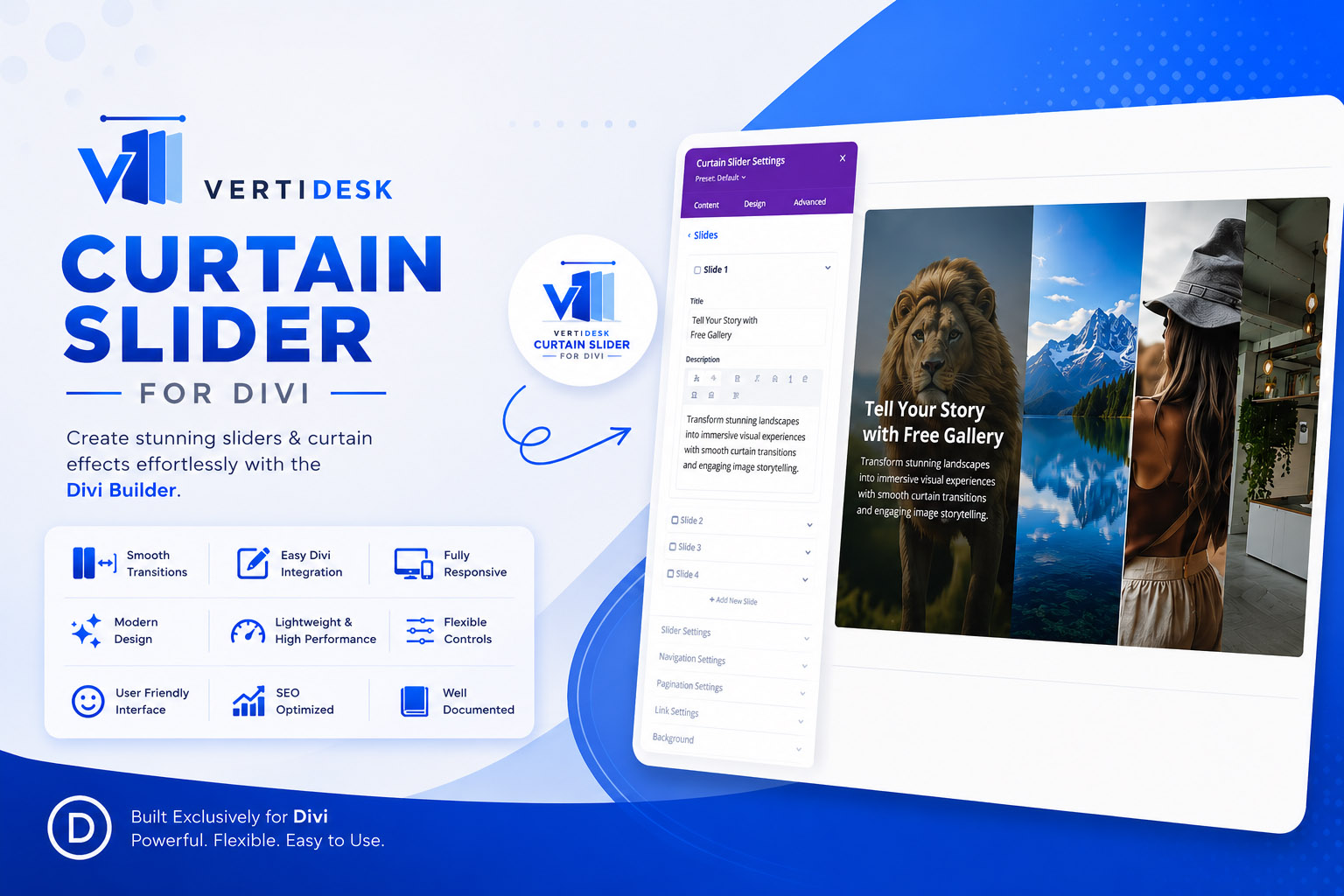
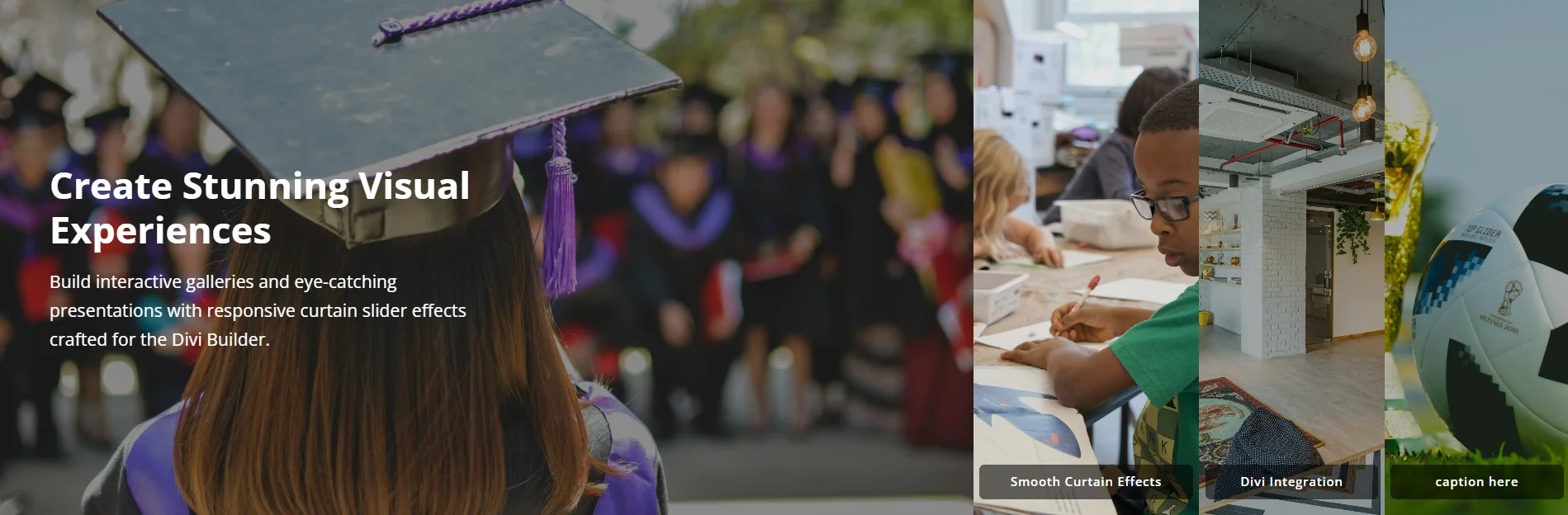
VertiDesk Curtain Slider module adds through a plugin enables a cinematic vertical panel slider module to your Divi Builder. Uniquely styled a thumbnail strip sits alongside a large main panel — with multiple options for a smooth transitions.

Ideal for photographers, agencies and brands who need to present multiple subjects — collections, services, locations, team members — on a single page without sending visitors elsewhere.
Get Free Version
VertiDesk Curtain Slider – An animated vertical panel slider for Divi Builder / Divi Theme
Buy Pro Version
VertiDesk Curtain Slider – An animated vertical panel slider for Divi Builder / Divi Theme
Free Version Features
- Up to 4 slides with per-slide background images
- Curtain layout — large main panel with a thumbnail strip
- Smooth crossfade transition between slides
- Per-slide typography — full Divi-native font controls: family (Google Fonts included), weight, style, colour, size, line height, letter spacing, text shadow
- Per-slide content position — top, middle, or bottom
- Per-slide overlay colour with alpha control
- Caption styling — font, colour, background, size, transform
- Autoplay with configurable delay and pause-on-hover
- Responsive — stacks gracefully on tablet and mobile
- Accessible — keyboard navigable, respects `prefers-reduced-motion`
- Lightweight — no third-party dependencies
- Works with both Divi Theme and the Divi Builder plugin
Pro Version Features
Upgrade to Pro [VertiDesk Curtain Slider Pro] for Divi:
- Unlimited slides — build as many panels as the story requires
- 4 Slider layout styles — Curtain (default), Centre Focus (all panels expand), Stage (fixed-position main with circular rotation), Full screen main slide (small thumnails)
- 4 animation styles — Crossfade, Zoom (Ken Burns), Slide, Curtain wipe
- Adjustable transition speed
- and lot more.
Screenshots: Free Version
Screenshots: Pro Version
Built for DiviVertiDesk Curtain SliderHero Slider Module
VertiDesk Curtain Slider Pro follows Divi’s own patterns throughout — native advanced fields for button styling, background, fonts, and spacing. Settings you configure apply responsively across desktop, tablet, and mobile without extra steps.
Compatible with Divi 4 and Divi 5, PHP 8.2+, and standard WordPress multisite setups.
Get Free Version
VertiDesk Curtain Slider – An animated vertical panel slider for Divi Builder / Divi Theme
Buy Pro Version
VertiDesk Curtain Slider – An animated vertical panel slider for Divi Builder / Divi Theme
Installation
1. Download the plugin zip file.
2. Go to WordPress Admin → Plugins → Add New → Upload Plugin.
3. Choose the zip file and click Install Now, then Activate.
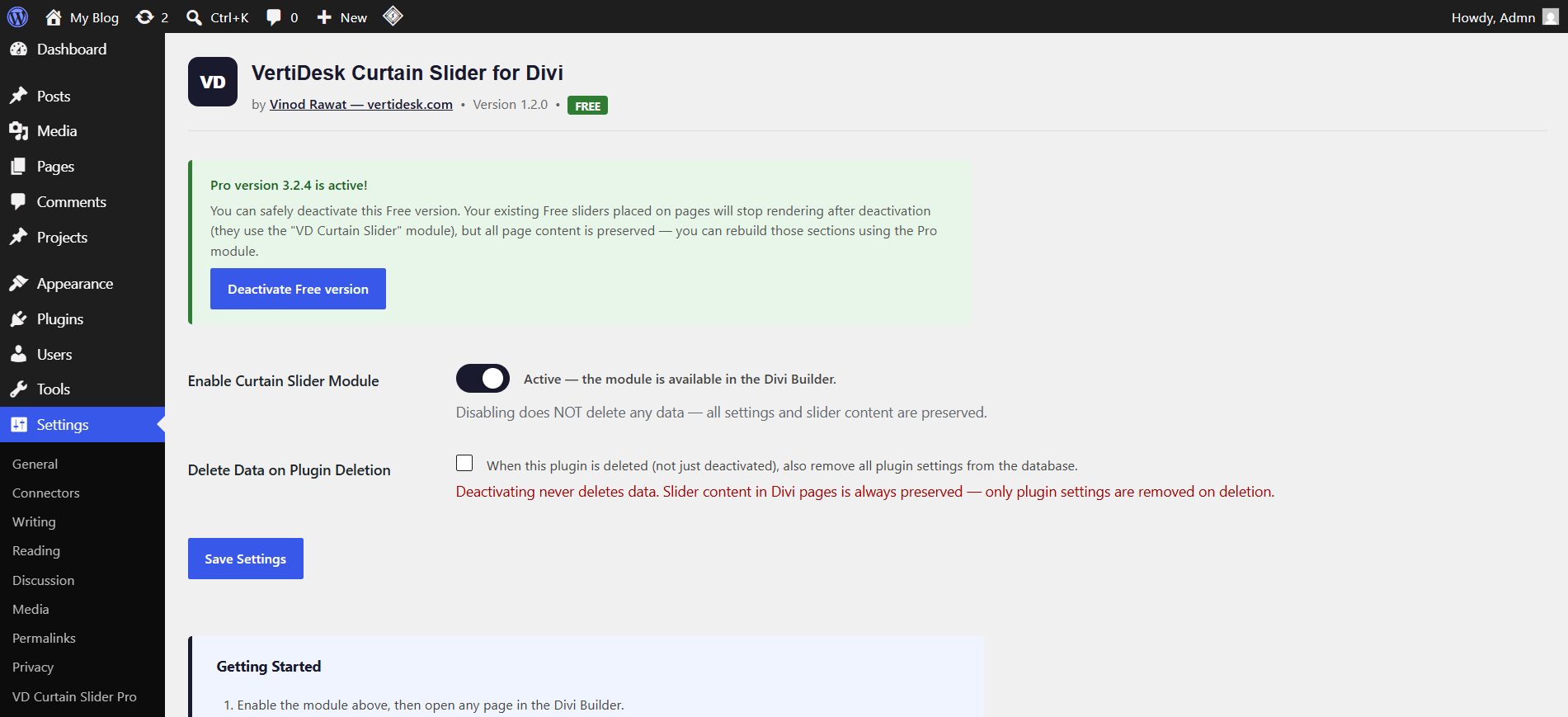
4. Go to Settings → VD Curtain Slider to confirm the module is enabled.
5. Open any page in the Divi Builder, search for VD Curtain Slider and insert it.
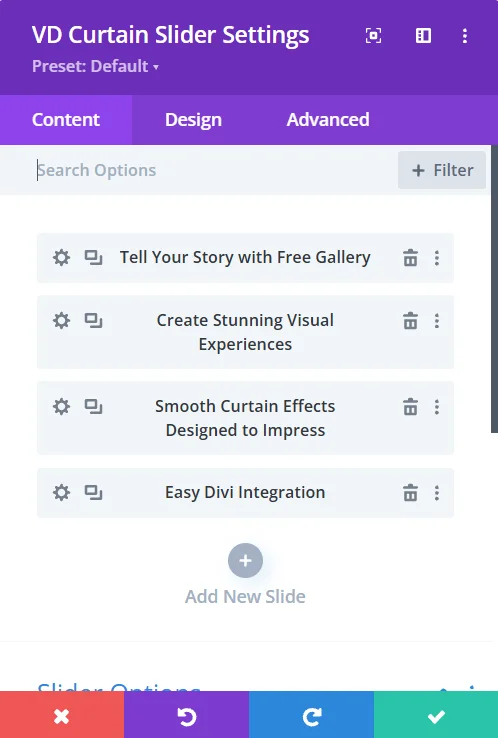
6. Click Add New Slide inside the module to add up to 4 slides.
7. Each slide has a Content tab (image, title, description, caption) and a Design tab (typography, overlay colour, focal point).
VertiDesk Curtain Slider FAQs
Does it work with Divi Theme and the Divi Builder plugin?
Yes — both Free version and Pro version plugins are fully supported. Requires Divi 4.x or later.
Can I add more than 4 slides?
The free version supports up to 4 slides. Pro version has no slide limit, additionally pro version has more slider style options.
Can I use Google Fonts?
Yes. The module uses Divi’s built-in font picker which includes hundreds of Google Fonts plus all system fonts. Selected fonts are loaded on the front end from fonts.googleapis.com
Is it compatible with caching plugins?
Yes. Slide data is embedded in the page HTML as a base64-encoded attribute, so it works correctly with any full-page caching setup including WP Rocket, W3 Total Cache, and LiteSpeed Cache.
Can I have multiple sliders on one page?
Yes. Each slider instance is independently initialised and they do not interfere with each other.
Does disabling the plugin delete my slides?
No. Deactivating the plugin never removes any data. Your slider content lives inside Divi’s page builder data (post content) and is always preserved. Only plugin settings are optionally removed when you permanently *delete* the plugin — and only if you tick the “Delete Data on Plugin Deletion” checkbox in Settings first.
== Changelog – Free Version ==
V 1.2.0
Fixed: text domain updated to match plugin slug for WordPress.org translation compatibility.
Fixed: admin notices now scoped to plugin settings page only (Guideline compliance).
V 1.1.0
Fixed coexistence with Pro version: Free version now uses isolated CSS class `vdsf-curtain-slider` so both plugins can be active simultaneously without conflict.
Changed: admin menu slug to `vertidesk-curtain-slider-free`, no longer clashes with Pro’s menu entry.
Added: “Delete Data on Plugin Deletion” checkbox — deactivating the plugin never removes data; deletion only removes settings if the checkbox is ticked.
Admin: notice shown when Pro version is also active, with a direct link to deactivate Free.
Added: inline code comment explaining base64 usage (Divi Visual Builder compatibility).
== Upgrade Notice ==
V 1.1.0
Fixes coexistence with the Pro version. Deactivating no longer removes any data. Recommended update for all users.
V1.0.0
Initial release.
== Changelog Pro Version ==
== Upgrade Notice ==
V 3.2.4
Multiple bug fix and improvements. Upgrade to 3.2.4 is recommended.
Changelog Previous Version
Version 3.2
V 3.2.4 — 2026-05-28
Added: Per-slide full-image overlay with gradient support
Added: Per-slide text-area background via Divi native background panel (colour, gradient, image)
Added: Background image position control per slide
Added: Navigation arrows in Layout 1 (Curtain)
Added: Progress bar in Layouts 1 (Curtain) and 3 (Stage) — controlled by new Show Progress Bar toggle
Added: Show Progress Bar enable/disable toggle (progress colour/track/height fields now conditional)
Fixed: Description text max-width user-set content width
Fixed: Button Design tab now fully functional
Fixed: PHP 8.2 dynamic property warnings ($parent_slug, $child_title_var, $child_title_fallback_var declared)
Fixed: arrow_icon_color field type corrected to color-alpha
Improved: Pause-on-hover now reliable in all 4 layouts (isHovered flags prevent false autoplay restart)
Version 2.2.0
V 2.2.0
Added: Full typography controls for Title, Description, and Caption
Added: Heading tag selector (H1–H6) for the slide title
Added: Letter spacing for Caption
Fixed: Single-slide autoplay no longer triggers redundant transitions
Fixed: `load_plugin_textdomain()` now correctly loads translation files
Fixed: Plugin description updated to reflect all animation styles
Improved: All weight dropdowns now include full 100–900 range
Version 2.1.0
V 2.1.0
Added: Four selectable animation styles — Crossfade, Zoom, Slide, Curtain
Added: Transition Speed control
Fixed: Content position (top/middle/bottom) now correctly applies on slide transitions
Fixed: Admin settings toggle now animates correctly on click
Version 2.0.0
V 2.0.0
Rebuilt as parent/child Divi module architecture
Added: Per-slide design controls
Version 1.0.0 - Initial Release
V 1.0.0
* Initial release
Privacy Policy
This plugin does not collect, store, or transmit any personal data.
When a custom font is selected per slide, that font is loaded client-side directly from **fonts.googleapis.com** (Google Fonts CDN). This is subject to Google’s Privacy Policy. No font requests are proxied through this plugin or vertidesk.com servers.
No analytics, telemetry, or tracking code of any kind is included.
